What it means
E8207 is one of five codes Thermador lists for overheated electronics on induction cooktops: the related cooking zone has shut off. Let the electronics cool, touch any control, and cook once the message has gone.
Thermador cooktop E8207 / Overheating
E8207 is one of five codes Thermador lists for overheated electronics on induction cooktops: the related cooking zone has shut off. Let the electronics cool, touch any control, and cook once the message has gone.
Also appears as E8207
E8207 is one of five codes Thermador lists for overheated electronics on induction cooktops: the related cooking zone has shut off. Let the electronics cool, touch any control, and cook once the message has gone.
The zone is off; give it time.
The same code returns after cooling.
Your Thermador steps, stored on this device only

The zone is off; give it time.

Wait until the electronics have cooled down sufficiently.

The Thermador manual says to touch any control element.

Resume cooking once the error message disappears.
Give us your model number and the checks you already made, then start your request below.
Book a visit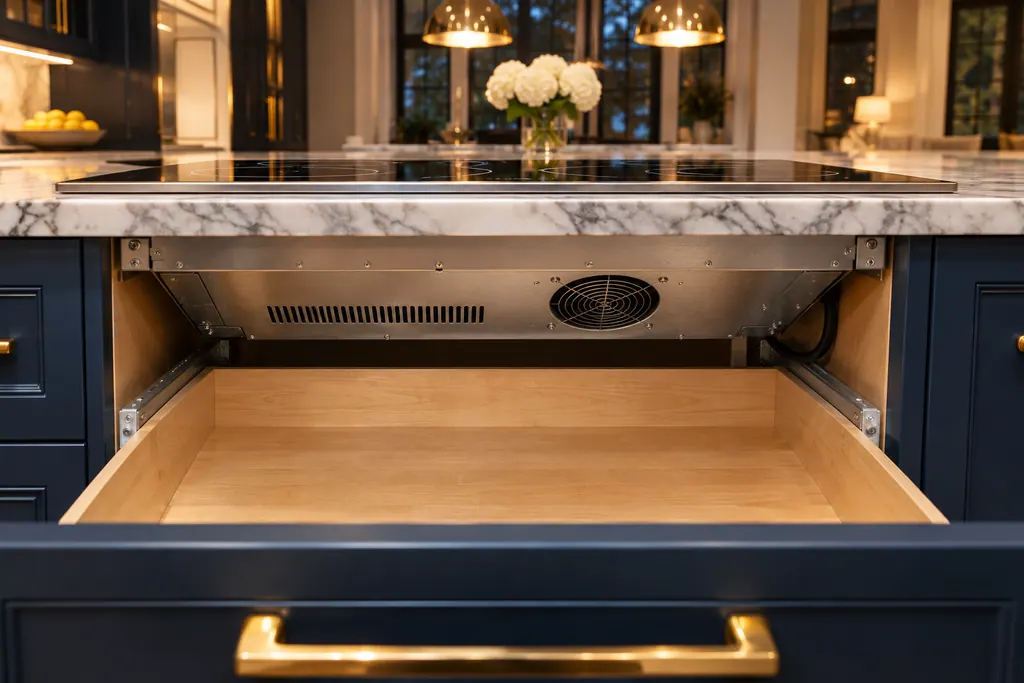
A simplified drawing, since the layout shifts from one model to the next. Tap any outlined part for its photo and the check that goes with it.

Component reference
The electronics of a Thermador cooktop or range cooktop run the zones and protect themselves from overheating.
Read the definitionThe Thermador manual lists all three under one entry with the same steps, so no difference is documented. Treat them alike.
Read the supporting manualThe manual gives no reason. Overheating shuts the zone down as protection.
Read the supporting manualThermador gives no number. If it keeps stopping a meal, ask for a visit.
Read the supporting manualManufacturer document
Thermador / BSH Home Appliances (thermador.com/us support page)
Undated web page; fetched 12.11.2026 / entry "F2, F4, E7015, E8207, E8208"
Source: the Thermador induction cooktop error-code page, grouped entry F2, F4, E7015, E8207, E8208.
Same wording, but F2 is listed on the electric cooktop page too.
Thermador does not ask you to move the pan. Just let the electronics cool, then touch any control.
Yes, once the electronics have cooled, touching any control clears E8207. Cook again when the message is gone.
The code and how long cooking had run.
Thermador messages, symptoms, parts, repair visits
F1 on a Thermador induction cooktop means a cooking zone overheated and switched itself off to protect the work surface. Give the electronics time to cool down before you turn the zone back on.
When one Thermador burner will not light while the rest do, the support page points to the burner cap: it is out of alignment, and its tabs must sit in the notches on the burner base. The cooktop guide adds a 4-second rule and clean, dry igniter ports. Gas odor means shut the unit off and book a visit.
The electronics of a Thermador cooktop or range cooktop run the zones and protect themselves from overheating. F2 means the electronics overheated and one zone shut off; F4 shuts all zones; E7015, E8207 and E8208 are listed with them. Wait for the electronics to cool, then touch any control.
Book a diagnostic made for your exact model and performed at the appliance itself.
Where the offices are, and what to tell us about getting in.