What it means
The brewing unit is soiled, and the display wants it cleaned. The TCM24PS table links this to too much ground coffee in the drawer or a stiff mechanism. Clean the unit as the cleaning chapter describes.
Thermador coffee machine Clean brewing unit / Brewing unit
The brewing unit is soiled, and the display wants it cleaned. The TCM24PS table links this to too much ground coffee in the drawer or a stiff mechanism. Clean the unit as the cleaning chapter describes.
Also appears as Clean brewing unit
The brewing unit is soiled, and the display wants it cleaned. The TCM24PS table links this to too much ground coffee in the drawer or a stiff mechanism. Clean the unit as the cleaning chapter describes.
The TCM24PS guide says not to put more than two level measuring spoons of ground coffee in the drawer.
The message returns after cleaning.
Your Thermador steps, stored on this device only
The TCM24PS guide says not to put more than two level measuring spoons of ground coffee in the drawer. Too much ground coffee soils the unit.

Follow the chapter on cleaning the brewing unit. Unplug the machine first; Thermador's page says to do so before cleaning.

The guide lists a stiff brewing unit mechanism as another cause, with the same remedy: clean it.
A message that survives a thorough cleaning needs a technician; say whether you used ground coffee in the drawer.
Give us your model number and the checks you already made, then start your request below.
Book a visitA simplified drawing, since the layout shifts from one model to the next. Tap any outlined part for its photo and the check that goes with it.
Component reference
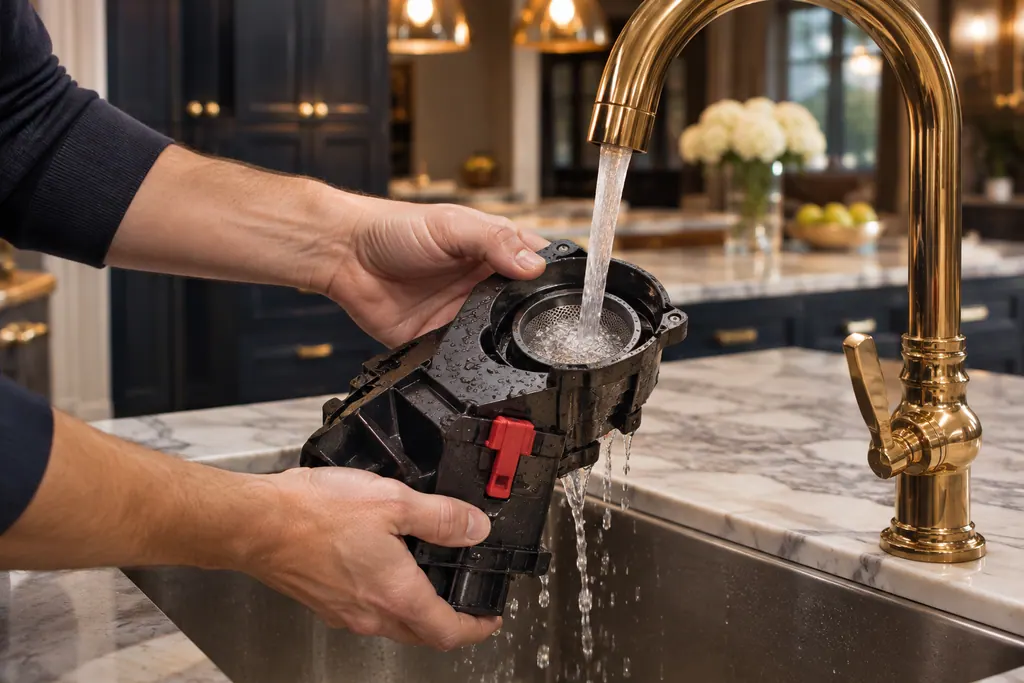
Inside a Thermador built-in coffee machine, a removable assembly called the brewing unit presses and brews the grounds.
Read the definitionThe machine reports that the brewing unit is soiled. The guide's troubleshooting table answers with one instruction: clean the brewing unit.
Read the supporting manualThe TCM24PS table names two causes: too much ground coffee in the drawer, and a mechanism that has become stiff. Both lead to the same cleaning.
Read the supporting manualThe prompt to switch off at the power switch and back on after 30 seconds can also point to a dirty brewing unit, but it adds heat as a cause. This message is the plain cleaning reminder.
Read the supporting manualManufacturer document
Thermador / BSH Home Appliances (thermador.com/us support page)
Undated web page; fetched 12.11.2026 / entry "Coffee Grinds & Results"
Manufacturer document
BSH Home Appliances Corporation (Thermador US manual PDF, media3.bsh-group.com)
PDF created 15.02.2022; file tag _A (no printed edition date read) / PDF p36
Sources: the TCM24PS use and care guide (troubleshooting table, PDF p36) and the matching Thermador coffee machine support page.
The sources do not say. Clean the unit first, which is the step they give.
The guide says no more than two level measuring spoons in the drawer.
The guide describes it as a cleaning chapter; read it before starting. Unplug the machine first.
Not by itself, but a message that outlives a proper cleaning justifies a visit.
Thermador messages, symptoms, parts, repair visits
The long message tells you to switch off at the power switch and back on after 30 seconds. The Thermador manual gives two causes: a machine that is too warm, or a dirty brewing unit. Cool it, unplug it, and clean the unit.
A Thermador built-in coffee machine that gives thin froth or takes in no milk usually has limescale, a blocked outlet or suction pipe, unsuitable milk or badly assembled milk parts. Run the descaling program, clean the outlet and tubes, use cold milk with at least 1.5% fat and reassemble the parts wet.
Inside a Thermador built-in coffee machine, a removable assembly called the brewing unit presses and brews the grounds. A dirty unit can bring up Clean brewing unit or the 30-second power-switch message. Rinse it with plain water only, no soap.
Book a diagnostic made for your exact model and performed at the appliance itself.
Where the offices are, and what to tell us about getting in.